Position your receiver and antenna
Find a sensible antenna position, plan power and weather protection, and compare reception before committing to a mount.
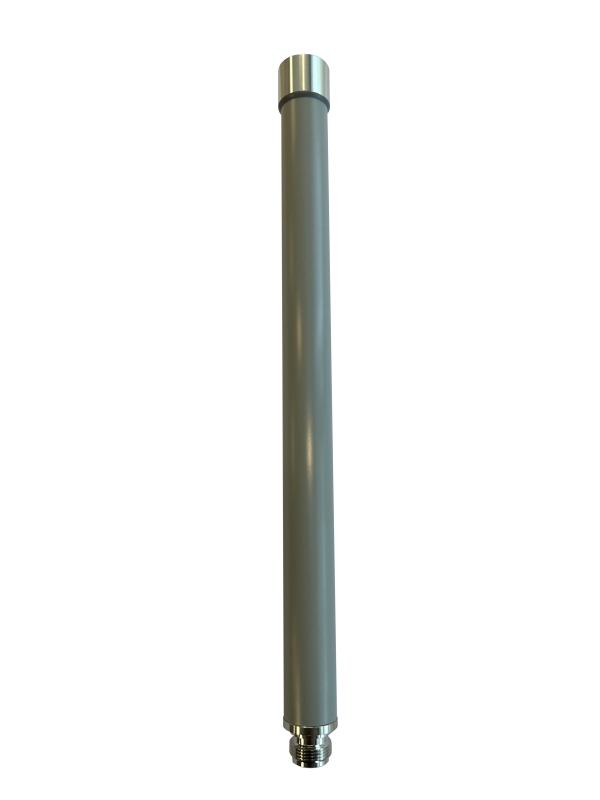
01Clear view
02Weather protection
Choose the position
Look for a clear view in the directions that matter to you. Nearby walls, metalwork, coated glass, trees and terrain can reduce reception. Start with an accessible temporary location so you can compare results before committing to a permanent mount.
Aircraft ADS-B and drone Remote ID use different radio bands and equipment. An antenna that suits one is not automatically right for the other.
Record the real antenna height
The installation pin marks the antenna, not simply where you stood with your phone. Browser location is a starting point; check and move the pin.
Antenna altitude above sea level = ground elevation + antenna height above ground. Use the software’s ground estimate where offered, then provide the real mounting height. For example, an antenna 4 metres above the ground adds 4 metres to that ground elevation—not an arbitrary altitude.
Weather and access
Use an enclosure, cable entries and mounting hardware rated for the intended environment. Think about water tracking along cables, condensation, summer heat and access for maintenance. Indoor USB adapters are not automatically weatherproof.
Keep antenna cable runs appropriate for the frequency and equipment. Long lossy cables can cancel out the benefit of extra height.
For roofs, masts, electrical work or lightning protection, use a competent installer. Don’t work at height just to experiment with a receiver position.
Power and network
Plan how power and data reach the receiver before choosing the final mount. Use suitable power equipment, reliable connectivity and strain relief. A network cable is often easier to diagnose than an unreliable wireless link.
After installation, check the receiver through a normal restart. Confirm the radios return, the network reconnects and fresh reports reach Layer400.
Compare one change at a time
Record the original location and receiver settings. Change one variable, then compare genuine reception over a meaningful period. Traffic varies with time and weather; a brief quiet period is not a reliable range test.
Need a hand? Talk to Layer400.
Measure the move before leaving the receiver outside
Record a working indoor baseline using Connected hardware, Radio health and ADS-B sources. After relocation, check fresh reception and accepted observations as well as connectivity. Use the passive antenna and USB placement comparisons under Troubleshooting with similar traffic and settings; a busier interval alone does not prove greater range.
Allow for the combined power draw of every radio and storage device. An appropriately rated compatible PoE supply or powered hub does not remove the Pi’s USB limits. Check cooling, cable support and weather protection for the actual build. Power and comparison guidance · System history and power warnings.
Guidance updated .