Connect an existing ADS-B feeder
Already feeding aircraft data? Share a supported JSON or Beast TCP feed without taking over its radio.
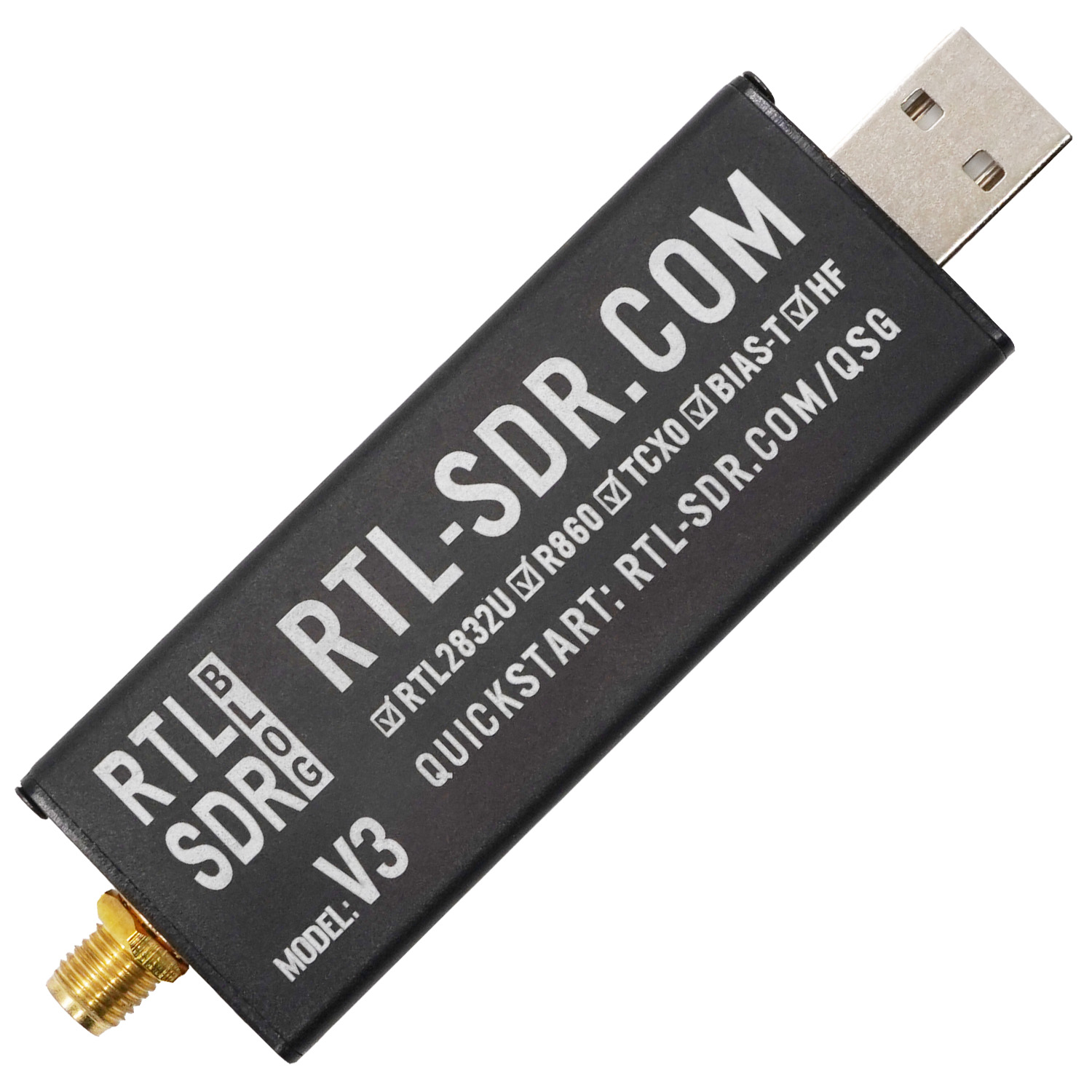
01Share its output
02Keep its SDR assigned
Available worldwide · fresh installs and updates. Compatible ARM64 Linux with APT/dpkg, systemd and resolvable dependencies. Tested Pi models are examples, not an installation allowlist. Current receiver requirements and downloads.
Keep your existing feeder running
Layer400 connects to your aircraft decoder’s output. Your existing ADS-B Exchange, Flightradar24, FlightAware/PiAware or other feeder can continue using that decoder. Sharing depends on the output it provides, not the network you feed.
+ Layer400
The receiver checks recognised decoder processes, feeder services, current local data and SDR ownership. A supported working feed can be shared automatically. Stale data or uncertain ownership is not permission to take over a radio. Existing feeder settings are not rewritten automatically.
| Where your aircraft data comes from | Choose in ADS-B sources |
|---|---|
| A compatible local aircraft JSON file | Share — existing aircraft software on this Pi |
| An existing Beast output, on this Pi or another LAN device | Beast TCP — existing decoder output |
| A decoder’s aircraft JSON over your LAN | IP — feed from another Pi |
| A separate, unused USB SDR | Host — SDR plugged into this Pi |
Install and open the local dashboard
The public installer accepts compatible Raspberry Pi models and other ARM64 Linux systems with APT/dpkg, systemd and resolvable package dependencies. Pi 4/5 and Debian/Raspberry Pi OS 12/13 are tested examples, not an allowlist. It installs onto the existing operating system; it is not an SD-card image. Check the current release requirements before starting.
Run this in a terminal on the Pi, or in an SSH session connected to it:
curl -fsSL https://layer400.com/install | sudo bash- Leave the terminal open while the installer checks compatibility, verifies the signed release and completes installation.
- Open the exact local HTTPS address it prints, including any port number, in a browser on the same network. An occupied web port is handled by selecting an available setup port.
- Follow Continue on Layer400, connect your account and antenna location, then import your private
.layer400pisetup file on the Pi’s page. - Open ADS-B sources in the local dashboard. Aircraft reception is optional; you can configure it after connecting the receiver.
To print the local address again, run sudo layer400 setup. If a local certificate warning appears, check the address belongs to your Pi. See the complete Raspberry Pi guide for account setup and updates.
Share a decoder on the same Pi
Keep your existing decoder and feeders running. With Automatic local source enabled, Layer400 checks for usable local sources. Recognised dump1090/readsb and ADSB.im shared JSON arrangements can be discovered without entering a path. An available local Beast output can also be detected.
The automatic policy can connect eligible unused SDRs as well as existing local feeds. Turn it off if you want to manage your source list manually. An SDR owned by another application remains protected.
- Open ADS-B sources and inspect any automatically connected source card.
- For manual setup, select + Add source, open Technical details & change source and choose Share — existing aircraft software on this Pi.
- Select Save source, then check the card’s report freshness and aircraft activity.
If discovery finds no readable current JSON, use the decoder’s Beast output or an accessible local HTTP JSON endpoint. Custom and container installations may need their actual exported address configured. Do not stop the existing decoder or broadly relax file permissions to force discovery.
Connect a Beast TCP output
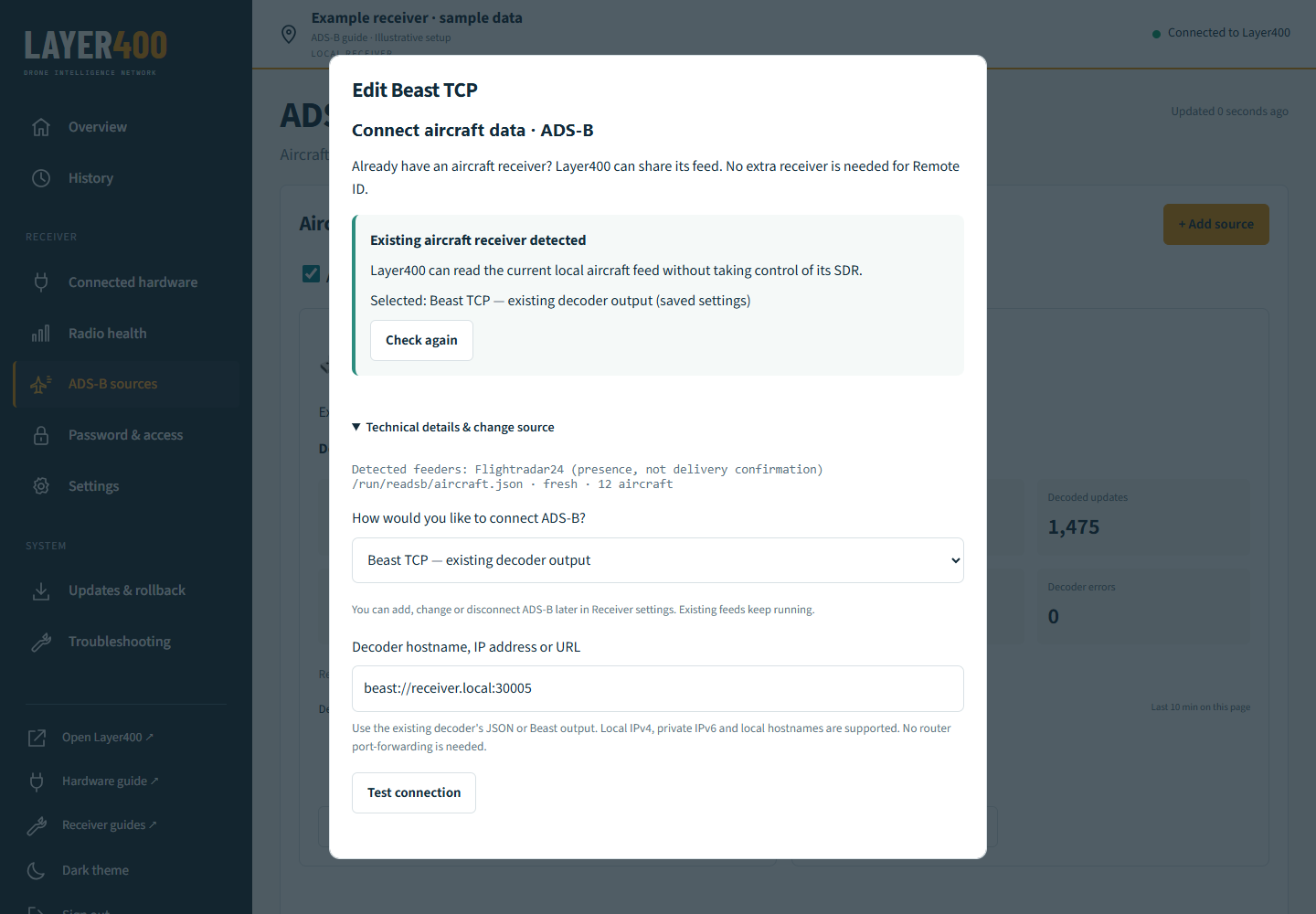
Beast TCP is a supported input, including when the existing decoder owns the SDR. Layer400 consumes that stream without opening the physical radio. Use the decoder’s output port; 30005 is common, but the correct port is the one your decoder exposes.
- In ADS-B sources, select + Add source.
- Under Technical details & change source, choose Beast TCP — existing decoder output.
- Enter the endpoint. Use
beast://127.0.0.1:30005for a decoder on this Pi, orbeast://receiver.local:30005for a separate decoder on your LAN. - Select Test connection and read the result.
- Confirm that the decoder’s antenna is at this receiver’s saved station location, then select Save source.
127.0.0.1 always means the machine running Layer400. For another machine, use its reachable local hostname or private address. A decoder bound only to its own loopback address will not be reachable from another Pi.
A connection test checks the source; it does not prove radio coverage or that every received aircraft has a usable position. Do not enter a Beast stream in the JSON setting.
Read aircraft JSON over your local network
Choose IP — feed from another Pi for an existing decoder’s HTTP aircraft JSON output. Enter the actual local address, port and path, such as http://receiver.local:8080/data/aircraft.json. Select Test connection, confirm the antenna is at this station and save.
Common paths include /data/aircraft.json, /dump1090-fa/data/aircraft.json, /tar1090/data/aircraft.json, /skyaware/data/aircraft.json and /readsb/data/aircraft.json. Use the path served by your decoder, not its map webpage.
Local hostnames, private IPv4 and local IPv6 addresses are supported. Layer400 validates destinations. Public feeds, credential-bearing URLs and redirects are not supported. Keep the connection on your LAN; no router port forwarding is needed.
See what each source is receiving
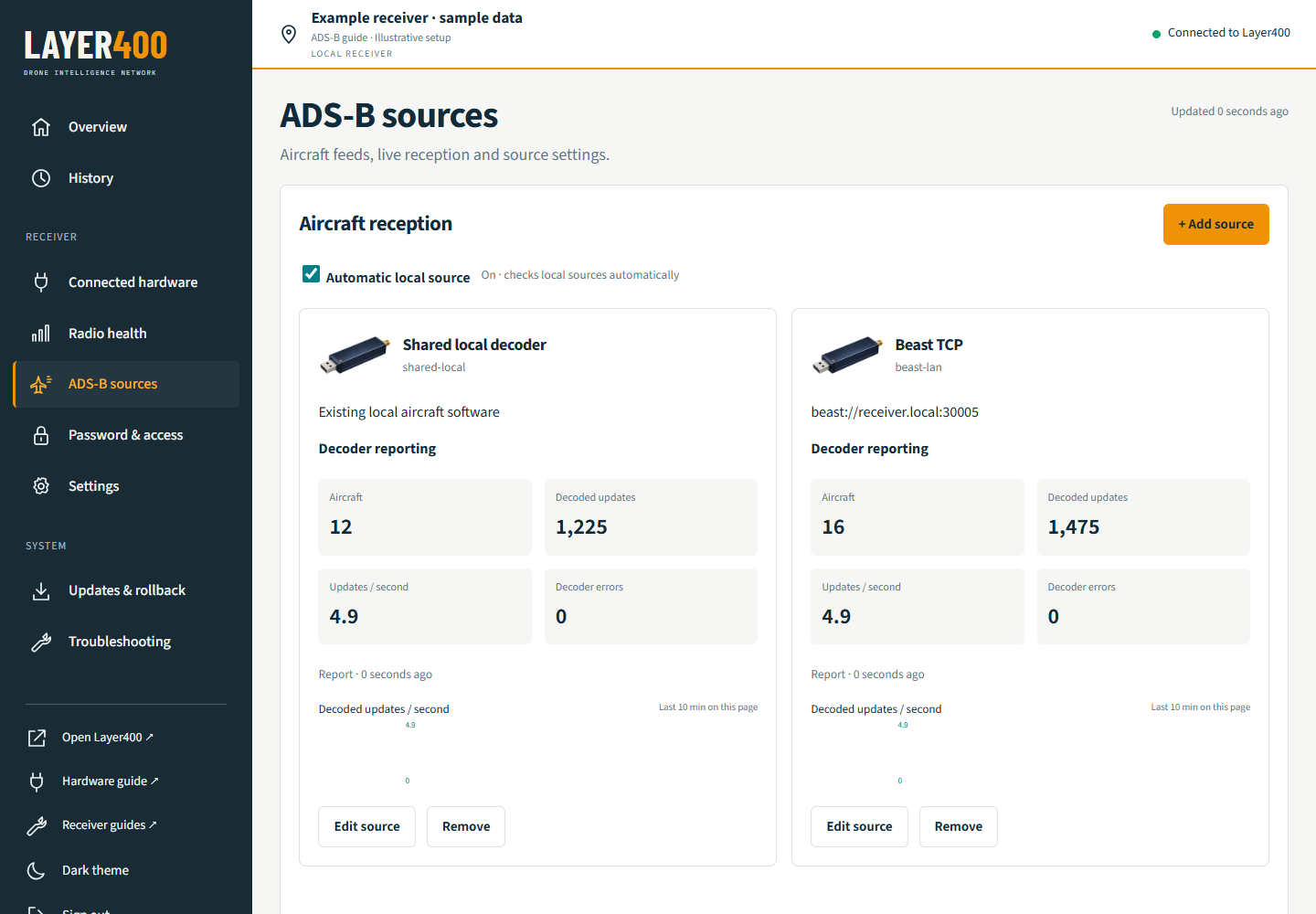
The dedicated ADS-B sources page supports multiple inputs, each with its own card and editor. A failed source does not require removing and recreating your whole receiver. Connect each intended feed once; adding duplicate outputs from the same decoder does not add coverage.
- Aircraft: targets reported by that source.
- Decoded updates: the source’s reported update count, separate from unique aircraft and accepted platform contributions.
- Updates / second: a measured rate; a new page needs samples before a value appears.
- Decoder errors and report age: help distinguish current reception from a missing or stale source.
The rate chart covers the last ten minutes observed while this page is open. Use History for retained observations, Radio health for device operation and Troubleshooting for system charts. Missing readings remain unavailable rather than being presented as zero.
Check both sides: your original feeder should still receive normally, and Layer400 should show fresh source reports and accepted contributions. A feeder detected by name is not proof it is delivering data. Quiet airspace and aircraft without current positions are possible. Understand reception and contribution states →
Edit, disconnect or uninstall
Select Edit source on an ADS-B card to change that input in a separate window. Use Save source to apply it or Cancel to leave it alone. You do not need a new account, receiver identity or setup file to change an aircraft source.
Remove disconnects that source from Layer400 and pauses automatic discovery so it is not immediately added back. Other applications and saved observations are kept. To stop all Layer400 aircraft inputs, remove each configured source and leave automatic discovery off.
Uninstall the Layer400 receiver packages
Run on the Pi:
sudo apt purge layer400 layer400-nodeThis removes the receiver packages. It is not a complete factory reset: locally created receiver data, credentials, backups and repository configuration can remain. It does not revoke the receiver in your Layer400 account. Contact us if you need help retiring it and removing retained data. Shared system dependencies are not removed by this command.
Compatibility and troubleshooting
Can I keep feeding ADS-B Exchange, Flightradar24 or FlightAware?
Yes, when your decoder exposes a supported output. Keep the current decoder in charge of its SDR and let Layer400 read its JSON or Beast output. Existing feeder keys and configuration are not automatically rewritten. Exact image, decoder and service versions still matter.
Does Beast support include 978 MHz UAT?
The supported Beast path decodes compatible 1090 MHz Mode S / ADS-B data. It is not a native 978 MHz UAT receiver. If your box provides both, use its supported 1090 output; do not assume its UAT stream uses the same protocol.
What if another application already uses my drone-capture radios?
Shared aircraft data and shared Wi-Fi/Bluetooth capture hardware are different. Keep radios already used by another application assigned to it. Use separate compatible capture hardware when adding Layer400 Remote ID reception. Ownership safeguards do not certify every third-party installation, and a complete DroneAware installation coexistence test has not been qualified.
The source is missing, quiet or fails its connection test
Check the decoder is running, the hostname resolves from this Pi, the output is reachable, and JSON contains current data. Check the exact port and protocol: AVR and BaseStation/SBS are not supported inputs. For containers, confirm the output is exported to the host or LAN. Keep the current feeder running while diagnosing; a stale file is not a reason to seize its SDR.
Which release was checked for this guide?
The current release is 0.1.0-71. Signed upgrades were checked on Pi 4 and Pi 5, including preservation of station identity, settings, queued observations and existing feeds. Installation, reinstall and setup recovery were also checked on native ARM64 Debian 12 and 13 in isolated environments.
Those checks do not qualify every board, OS or radio combination. Keep your existing feeder and its radio ownership intact, and follow the upgrade route offered for your installation. Read the current release notes.
Need help with your existing setup? Talk to Layer400.